
Developers
LekkaPay for developers
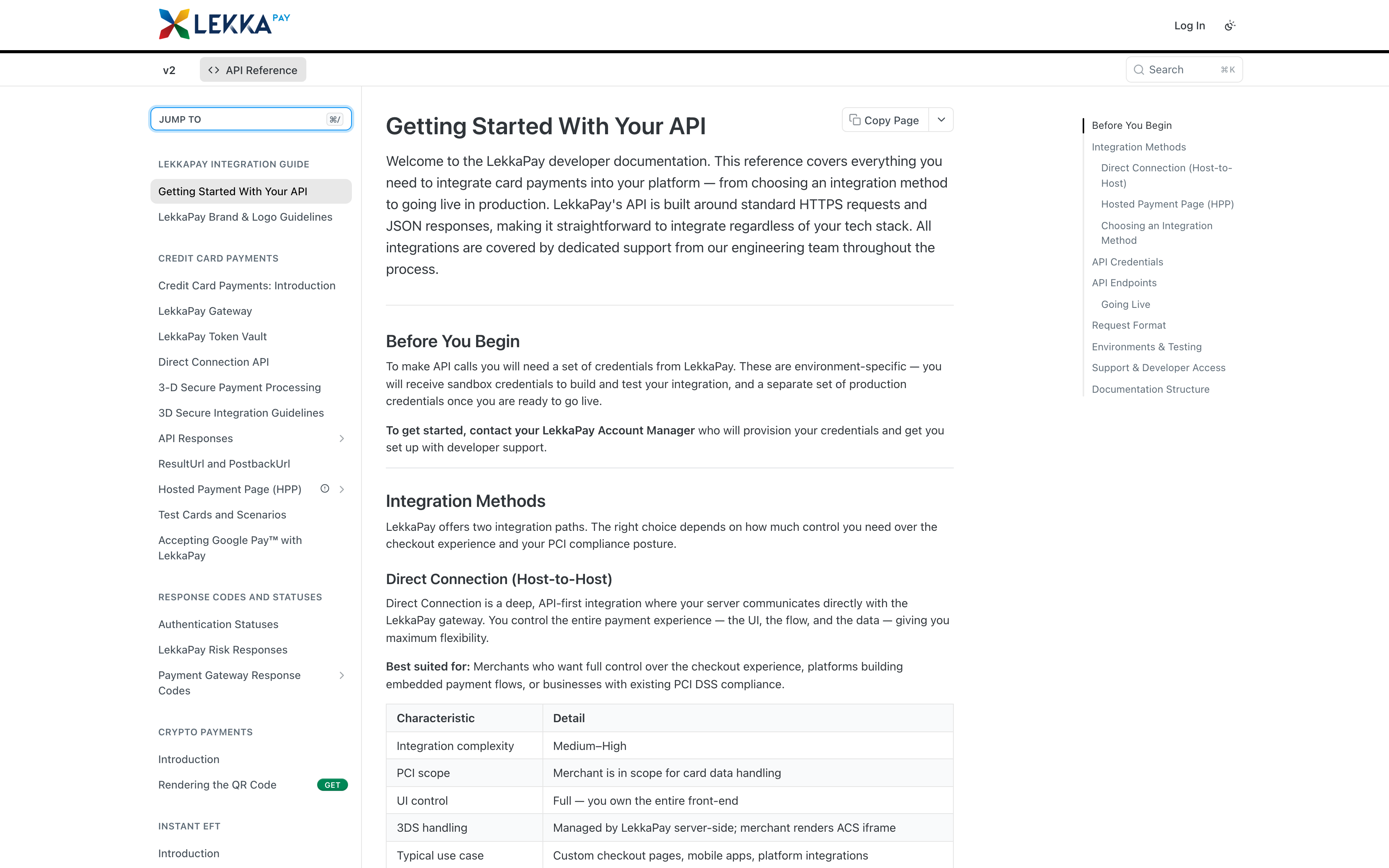
This is the map, not the documentation. The full REST API reference, integration guides and changelog live at apidocs.lekkapay.com; live platform status is at status.lekkapay.com. Below: how to get sandbox access, how webhooks work, and where to look when something changes.
$ curl -X POST https://api.lekkapay.com/v2/sale \ -d '{ "payment_type": "CARD", "order": { "amount": "100.00", "currency": "ZAR" } }'
{ "response": { "code": "00", "text": "Approved" }, "order": { "status": "SUCCESS" } }
→ webhook · sale.settled · txn 267070
curl -X POST https://api.lekkapay.com/v2/sale \
  -H "Content-Type: application/json" \
  -d '{
  "payment_type": "CARD",
  "authentication": { "api_key": "aps-staging-your_key", "api_secret": "····" },
  "order": { "amount": "100.00", "currency": "ZAR", "ID": "order-8291", "billing_descriptor": "your-store.co.za" },
  "customer": { "name": "Jack Burns", "email": "jack@example.co.za", "countrycode": "ZA" },
  "resultURL": "https://your-store.co.za/return",
  "card": { "number": "···· ···· ···· 0008", "expiry": "0539", "cvv": "···" }
}'

# response
# { "response": { "code": "00", "text": "Approved" },
#   "order": { "status": "SUCCESS", "id": "order-8291" },
#   "tran": { "result": "SUCCESS", "auth_code": "00", "card_brand": "MC", "currency": "ZAR" } }
Sandbox access
Sandbox credentials are issued as part of the application process: apply at backoffice.lekkapay.com/apply and you receive test keys for a full sandbox environment. Test keys are prefixed aps-staging- and are rejected by live endpoints, so a misconfigured environment fails loudly instead of moving real money. The sandbox mirrors live behaviour for payments, refunds and webhook delivery, so what you test is what ships.
Integration guides
The docs at apidocs.lekkapay.com cover the three integration paths: hosted checkout (card data never touches your servers, minimal PCI scope), server-to-server API for merchants with their own compliant environment, and e-commerce plugins. Choose by PCI scope first - hosted checkout is the right default unless you have a specific reason to handle card data - then by how much control your checkout needs. Each guide includes request and response examples that run against the sandbox as written.
Webhooks
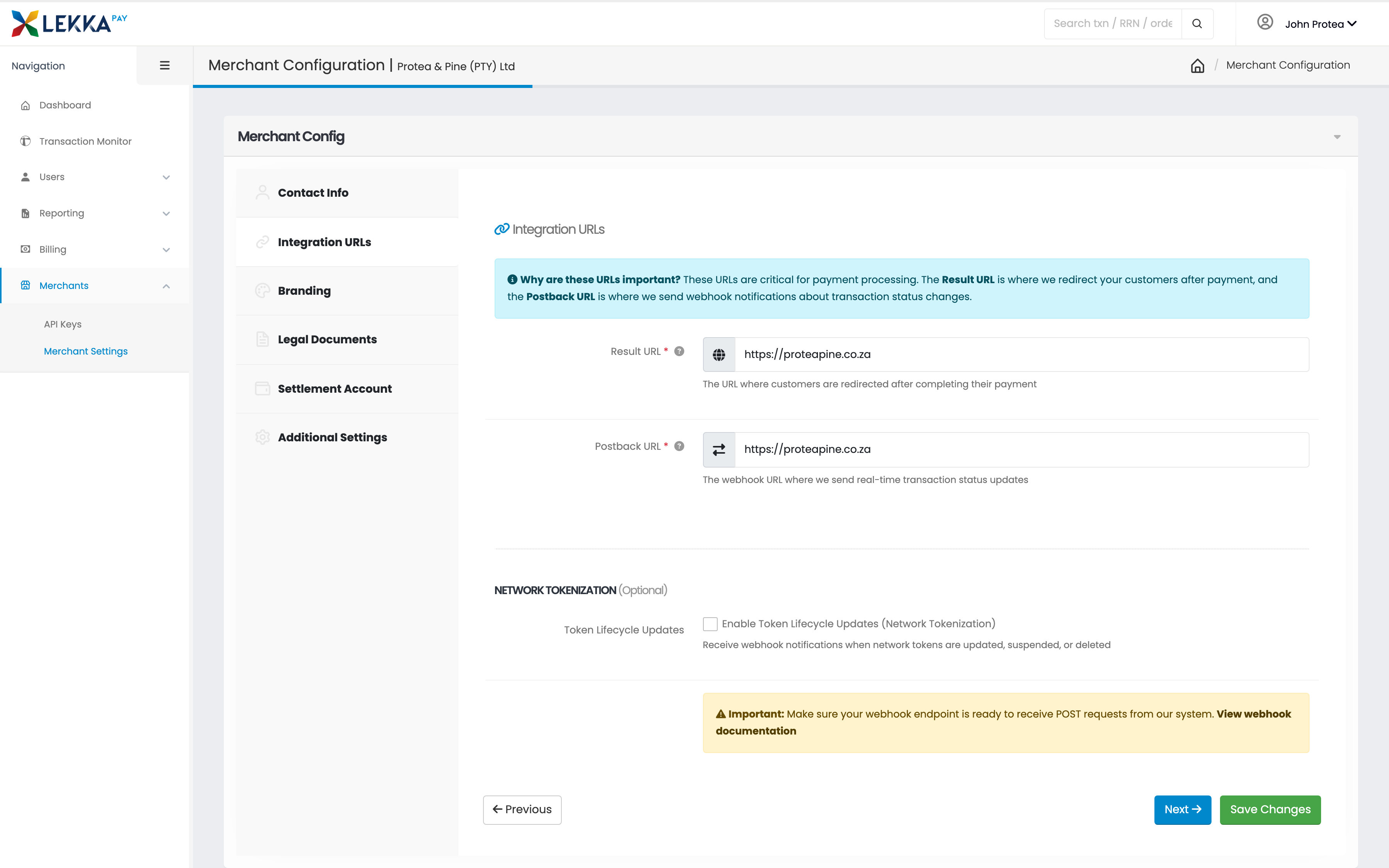
Payment events - succeeded, failed, refunded, chargeback raised - are delivered as signed webhooks to endpoints you configure in the back office. Verify the signature before trusting the payload, respond with a 2xx, and treat deliveries as at-least-once: the same event can arrive twice, so handlers must be idempotent. The event reference and retry schedule are in the docs.
Changelog
API changes are published in the changelog at apidocs.lekkapay.com. Backwards-incompatible changes are versioned, and deprecations are announced before removal - watch the changelog rather than diffing responses.
Status and uptime
status.lekkapay.com publishes live component status, incident history and scheduled maintenance, publicly. The availability figure quoted across this site is substantiated there - check the record rather than taking the claim on trust.
Last updated:
Developer docs
Is the documentation any good?
Judge for yourself - a real API reference, and webhooks you configure in the back office.
FAQ
Your questions, answered
Where is the API documentation?
At apidocs.lekkapay.com - the complete REST API reference, hosted checkout and server-to-server integration guides, webhook event reference and changelog.
Is there a sandbox?
Yes. Sandbox credentials are issued with your application - apply at backoffice.lekkapay.com/apply and you receive test keys (prefixed aps-staging-) for a full sandbox environment that never touches live rails or real money.
Which languages and SDKs are supported?
The API is plain REST over HTTPS with JSON responses, so it works from any language that can make an HTTP request. Check apidocs.lekkapay.com for the current list of SDKs, e-commerce plugins and code samples.
How do webhooks work?
LekkaPay sends signed webhooks for payment lifecycle events - succeeded, failed, refunded, chargeback raised and more. You configure endpoints in the back office, verify the signature on receipt, and respond with a 2xx; failed deliveries are retried. The full event reference and retry schedule are in the docs.
Where do I see incidents and uptime?
At status.lekkapay.com - public, no login. It shows live component status, incident history and scheduled maintenance, and it is the evidence behind the availability figure quoted on this site.
Ready when you are.
Apply online in minutes, or talk to us about the right model for your business.